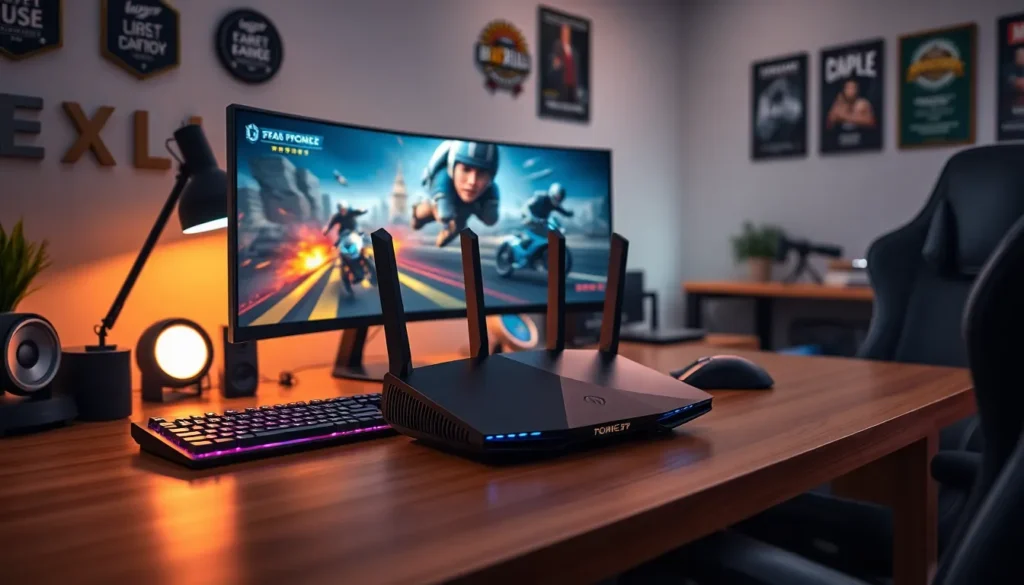
Imagine finally landing that elusive headshot or winning the battle royale, only to be let down by an unreliable WiFi connection. Frustrating, right? For gamers who take their digital pursuits seriously, the right WiFi can mean the difference between victory and being sent back to the respawn zone. In this text, we dive deep into what constitutes the best WiFi for gaming, navigating through speed, latency, and everything in between. Strap in, because it’s time to level up your gaming experience.
Understanding WiFi Technology for Gaming

When navigating the world of gaming, understanding WiFi technology is key. Most players think about their kill-death ratio, but what about those ones and zeros flying through the air? They matter a lot.
Importance of Speed and Latency
The heart of any gaming connection lies in speed and latency. Higher speeds mean faster downloads and smoother gameplay. Latency, often referred to as ping, measures how quickly data travels between your device and the game server. High latency can lead to lag, which is the sworn enemy of any serious gamer. Ideally, you want latency under 20 ms for the best experience. Speed often hogs the spotlight, but latency wields the sword.
Types of WiFi Protocols
Next up are WiFi protocols. Most will find themselves using either WiFi 5 (802.11ac) or WiFi 6 (802.11ax). WiFi 5 has been a staple for many gamers, offering solid performance. But, the latest WiFi 6 is like a turbo boost for your gaming experience, capable of supporting more devices and delivering even faster speeds with lower latency. It’s almost like having an entire squad of tech support right in your router.
Frequency Bands: 2.4GHz vs. 5GHz
Next, let’s talk about those sneaky frequency bands. WiFi operates primarily on two bands: 2.4GHz and 5GHz. Each has its strengths and weaknesses.
2.4GHz is like the reliable workhorse of WiFi. It has a longer range and better penetration through walls, which is fantastic if your router is stuck in the basement. But, the trade-off is speed and congestion, especially in crowded areas. On the other hand, 5GHz delivers blazing fast speeds and lower latency. But it doesn’t travel as far and struggles to penetrate structures, which can leave some gamers out in the cold if they wander too far from the source.
So, what’s the takeaway? If you want fast gameplay and are within reach of your router, go 5GHz. If you’re far away, 2.4GHz is your best friend.
Choosing the Right Router for Gaming
The router you select can vastly impact your performance in-game.
Features to Look For in Gaming Routers
When shopping for a gaming router, keep an eye out for several key features. Quality of Service (QoS) prioritizes gaming traffic, meaning your gaming packets get the VIP treatment, while other devices might just have to wait their turn. Look for routers with MU-MIMO (Multi-User, Multiple Input, Multiple Output) technology, allowing multiple devices to stream smoothly without trying to outpace each other. Also, ensure your router supports the latest protocols like WiFi 6. They not only enhance speed but also improve overall efficiency.
Top Gaming Router Recommendations
If you’re still scratching your head about which router to buy, here are a few crowd-pleasers:
- Asus RT-AX88U: A powerhouse with great speed and range.
- Netgear Nighthawk AX12: Exceptional performance and sleek design.
- TP-Link Archer AX6000: Perfect for hardcore gamers needing both coverage and speed.
Each of these routers brings something unique to the table, ensuring you won’t suffer from lag when it counts the most.
Setting Up Your WiFi for Optimal Gaming Performance
Now that you’ve got your router, let’s talk about setup. Proper configuration is crucial to achieve optimal performance.
Common Issues and Troubleshooting Tips
First, position your router in a central location to maximize coverage. Avoid putting it behind electronics or under heavy furniture. If the connection still feels shaky during gaming, be sure to check for interference from other electronics. Keeping the firmware updated is also non-negotiable. Finally, consider using an ethernet cable for a direct connection, which virtually eliminates latency issues.
By taking these steps, you’ll create an environment where you can truly sharpen your skills and dominate the competition.